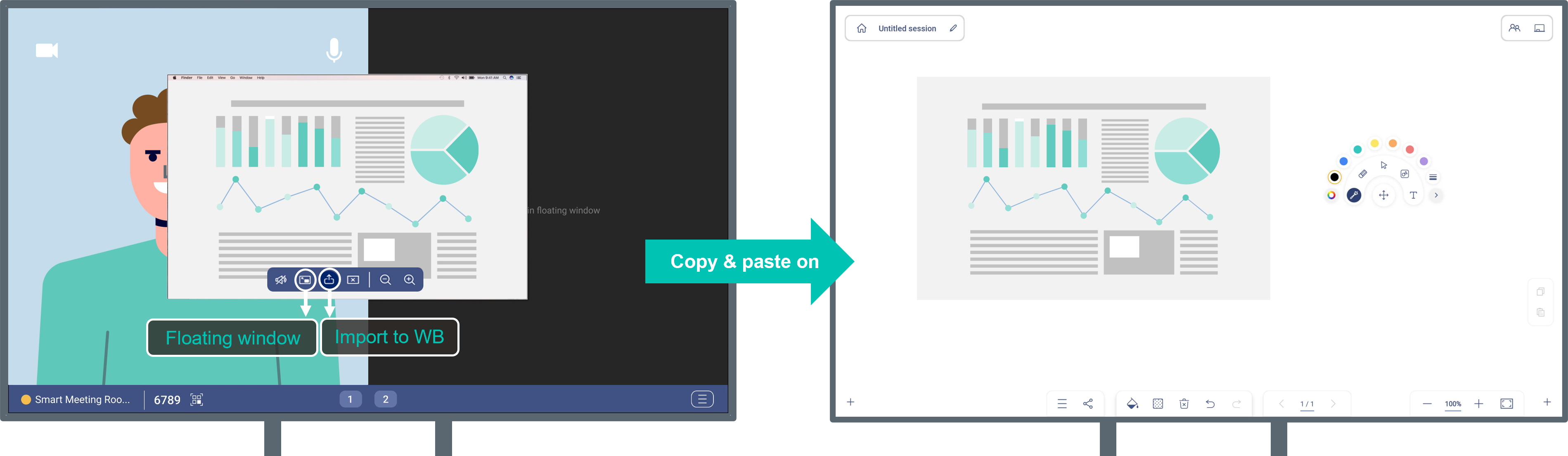
Floating window
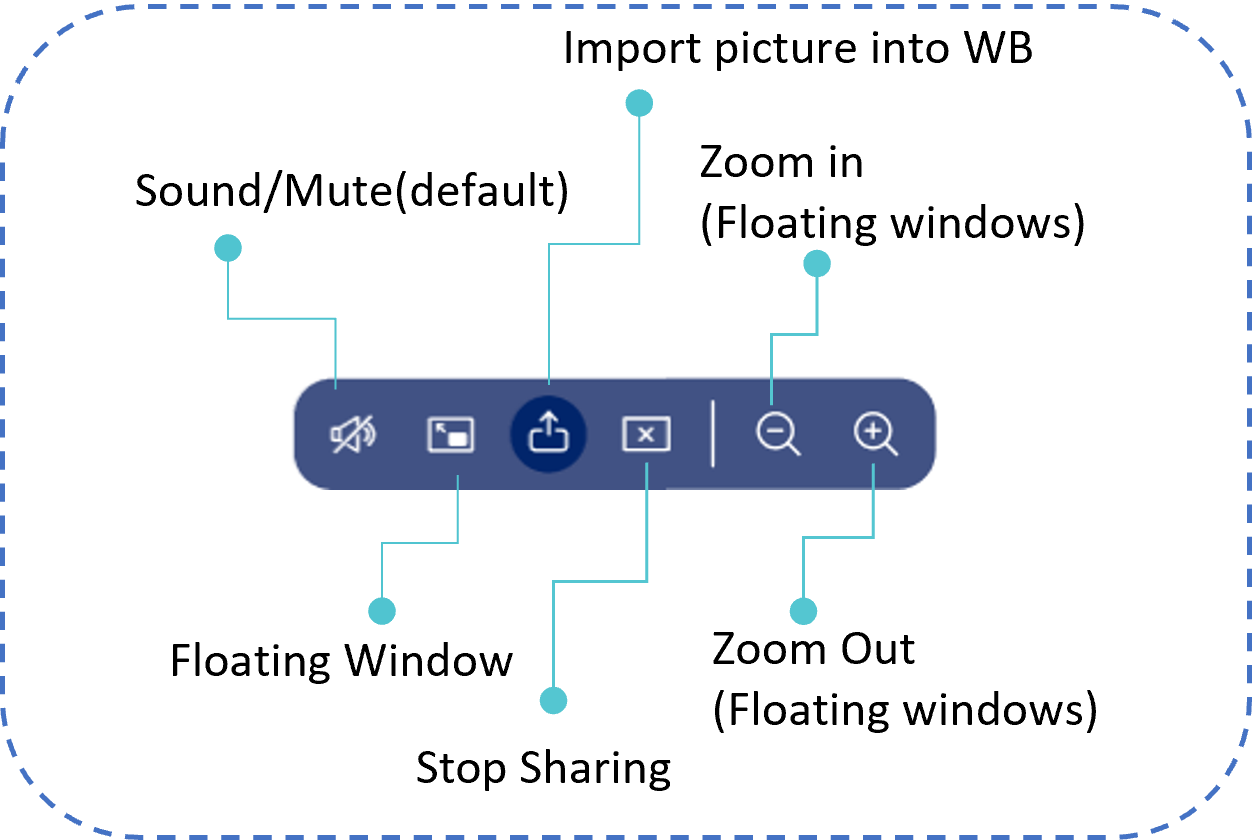
Complete multiple tasks at once during wireless sharing rather than flipping back and forth between applications. Get the real-time mirroring screen as a floating window and navigate the website or note-taking at the same time.
Furthermore, your can use the screenshot tool to get the important information and import the image directly to Optoma Whiteboard for real-time discussion.
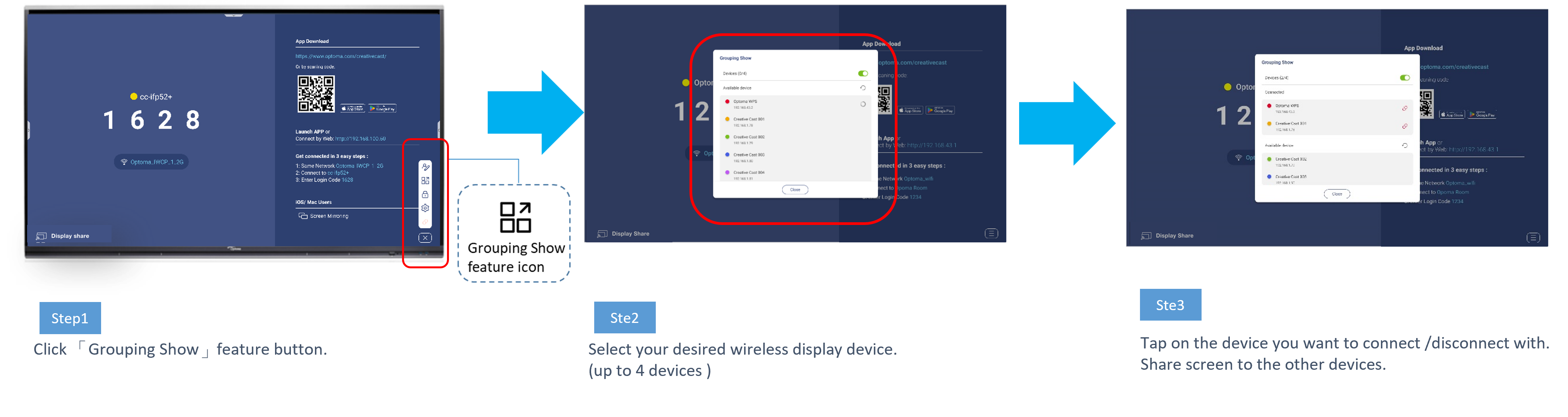
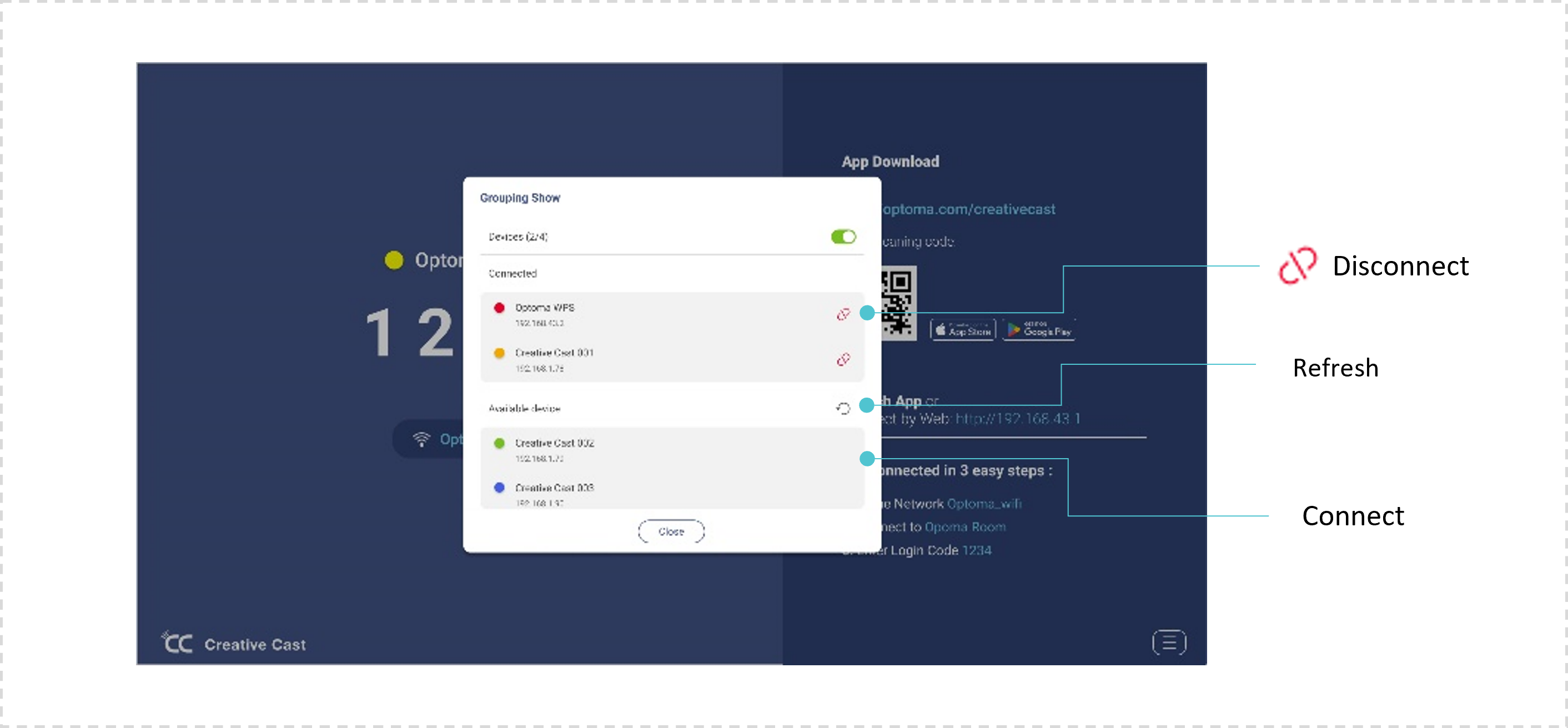
Grouping show (Any to Any)
Connects one screen to any other screens to mirror, operate, stream and present.